
Demo Layout
How the different elements come together in a CTV ad
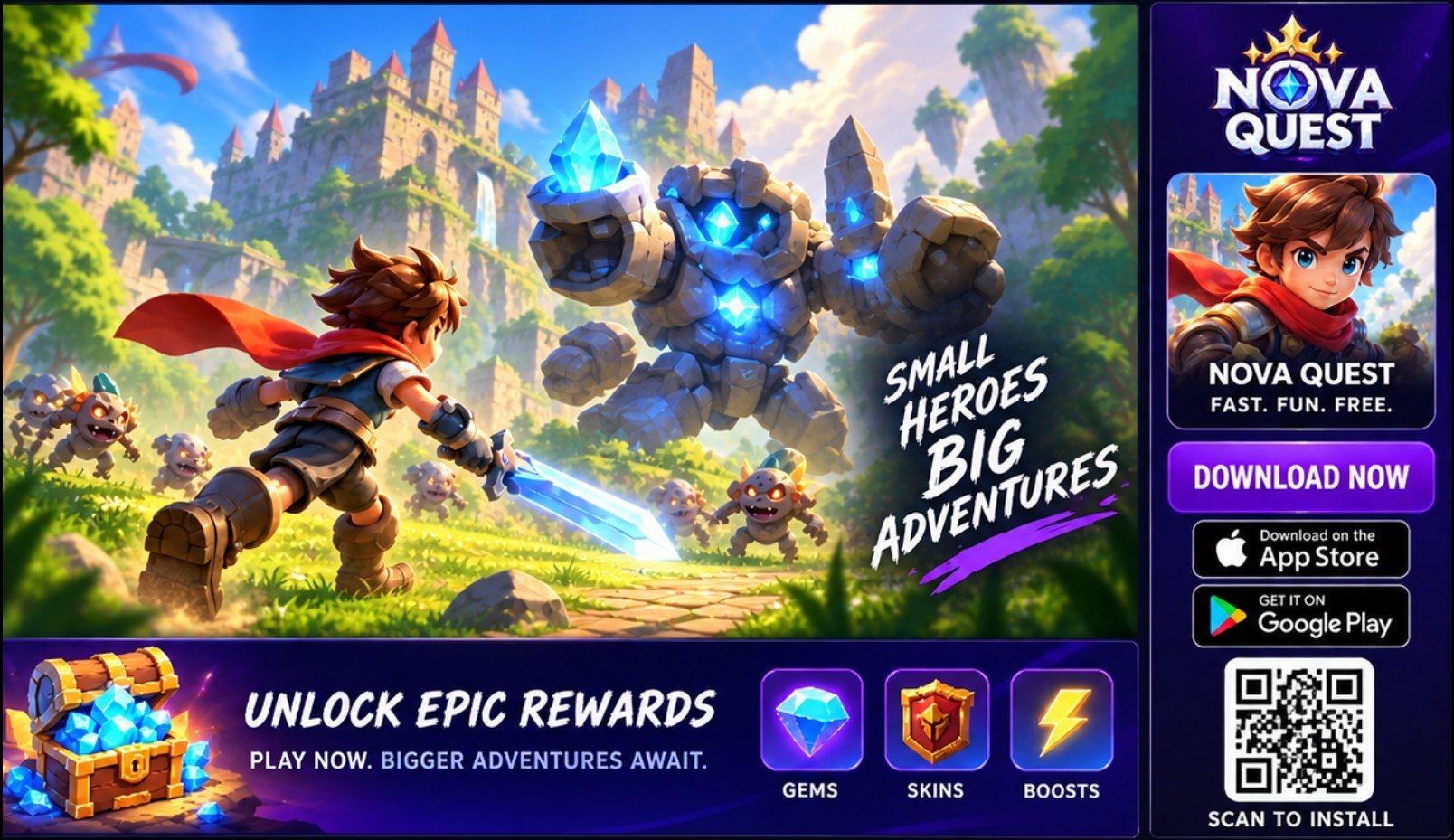
Video - 1920X1080
Logo
Creative Element
CTA
QR Code
Offer Callout - Left to Right

Video Length
- Recommended durations: 6s, 10s, 15s or 30s.
- Creatives of up to 60 seconds can also be accepted when required.

Video Dimensions
- All video assets must be delivered in 16:9 format at 1920 × 1080 for CTV placements.
- Use HD-quality original assets to maintain clarity on large screens.

QR Code
- Keep the QR code visible throughout the duration of the ad.
- Use the MMP-generated QR code that takes the viewer directly to the relevant app store or destination.

App Icon
- Recommended durations: 6s, 10s, 15s or 30s.
- Creatives of up to 60 seconds can also be accepted when required.

L-Banner
- All video assets must be delivered in 16:9 format at 1920 × 1080 for CTV placements.
- Use HD-quality original assets to maintain clarity on large screens.

CTA
- Keep the QR code visible throughout the duration of the ad.
- Use the MMP-generated QR code that takes the viewer directly to the relevant app store or destination.
Other Essentials
- Submit original HD assets along with editable key visuals.
- These may include: App logo, in-game icons, banners, character visuals and other supporting design files.
- Voiceover-led creatives are preferred over music-only versions for CTV.
- If voiceover is used, include subtitles to improve accessibility and message comprehension.
Best practice: Keep the branding, CTA and QR code consistently visible without overpowering the main video or gameplay experience.